
Alarm Crypto lets you import alarms shared by other users. You just need an 8-character import code — every alarm gets added to your account automatically, without typing price after price.
It sounds like a small detail, but it solves a real problem: building a list of levels by hand takes time, and replicating a list from someone who already did that work takes seconds. This tutorial covers how to import, how to share your own, what the code carries, and what to do when something goes wrong.
What is the import code?
The import code is a unique 8-character string (letters and numbers) generated automatically when someone shares their alarms. It contains all the alarm info — cryptocurrency, target price, and condition (above or below) — without any of the sender's personal data.
Each code is valid for 30 days from creation. After that, it expires and can no longer be used. That expiry exists precisely because prices age: a set of levels built months ago probably doesn't fit today's market.
Importing and sharing alarms is available exclusively to Alarm Crypto Pro subscribers.
What it's actually for
Four situations where the import code genuinely saves time:
- Swapping setups with people you trade alongside. If you and a friend follow the same coins, there's little point in both typing the same levels. One builds it, the other imports.
- Reusing your own list. Switched phones, or want to quickly rebuild a set of alarms you've used before? Share it with yourself and import.
- Acting on a ready-made thesis. When someone publishes a read on supports and resistances, the code turns that read into real alarms in seconds — instead of a note on paper you never revisit.
- Starting without knowing where to begin. If you're building your first alarms, receiving a ready set helps you see how people actually space their levels. Then adjust everything to your own plan with the method in how to set Bitcoin price alerts.
Step by step: importing alarms
Open Settings
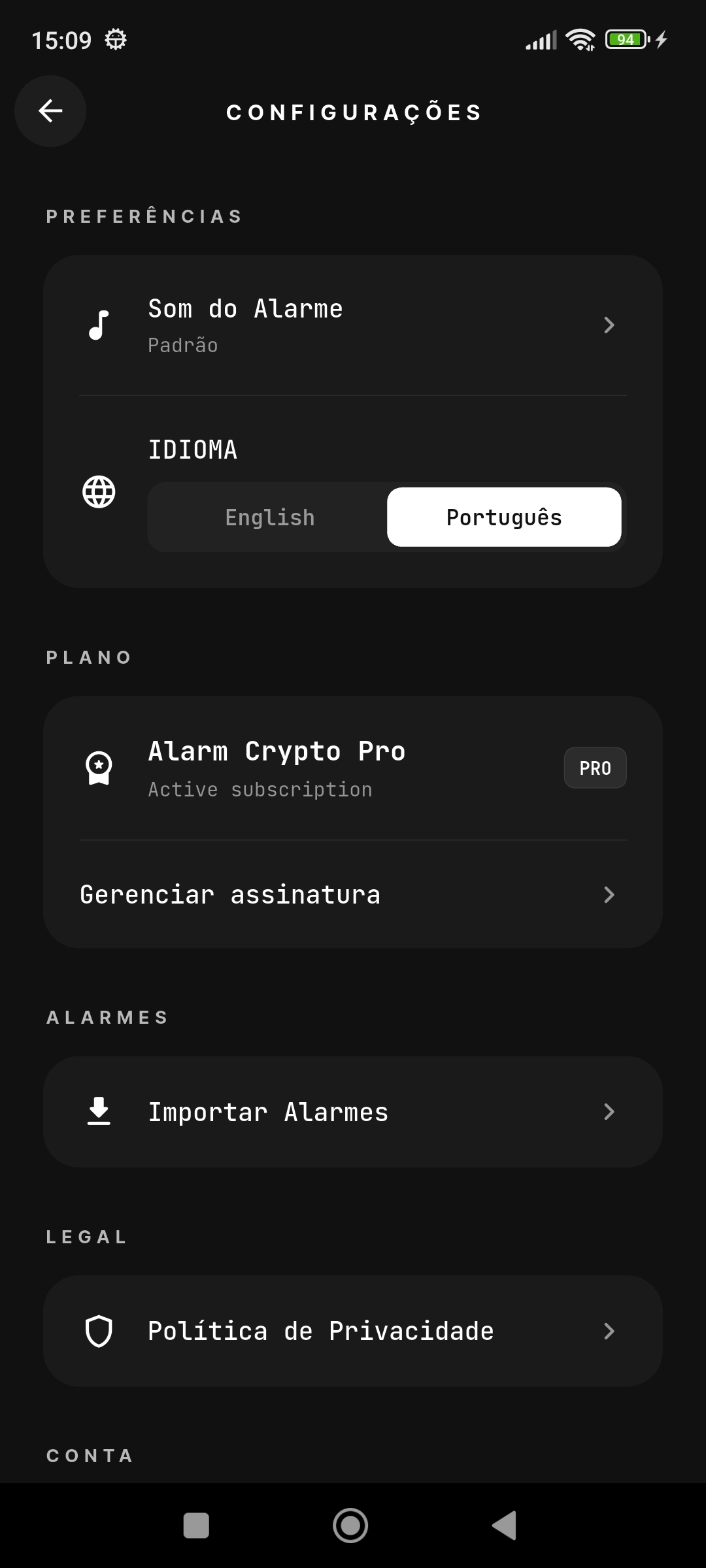
On the app's home screen, tap the gear icon in the top right to open settings. Under the ALARMS section, tap "Import Alarms".
Enter the share code
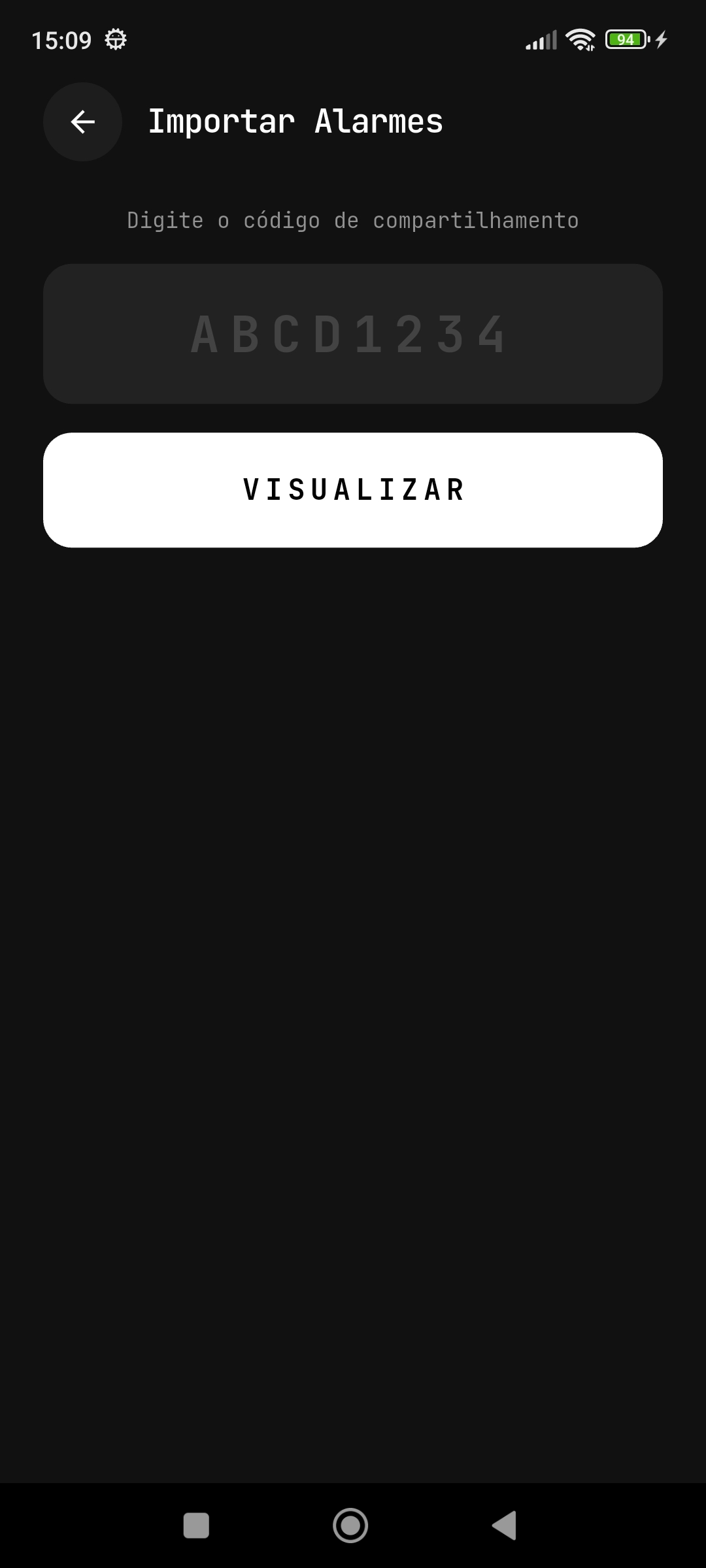
On the import screen, type the 8-character code you received. The code is automatically converted to uppercase. Once typed, tap "PREVIEW" to fetch the alarms.
Double-check the code
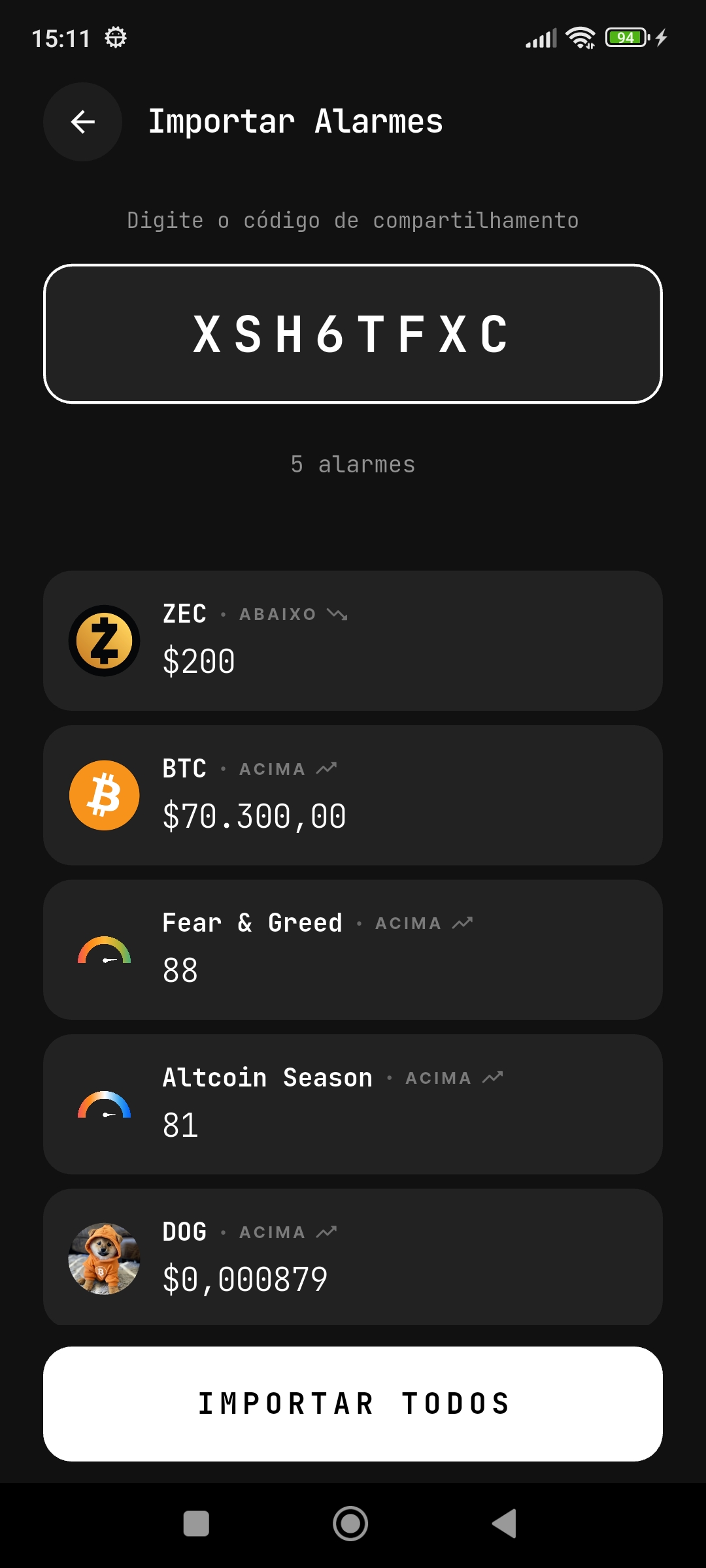
Make sure the code was typed correctly. It appears centered in the text field with letter spacing to make it easier to read. If it's right, tap "PREVIEW".
Preview the alarms before importing
The app shows a preview of every alarm included in the code. For each one, you can see:
- The cryptocurrency's image and symbol (BTC, ETH, ZEC, etc.)
- The alarm condition — ABOVE or BELOW
- The target price set by the creator
The preview also shows the total number of alarms that will be imported. Check everything before continuing and tap "IMPORT ALL".
Alarms imported successfully
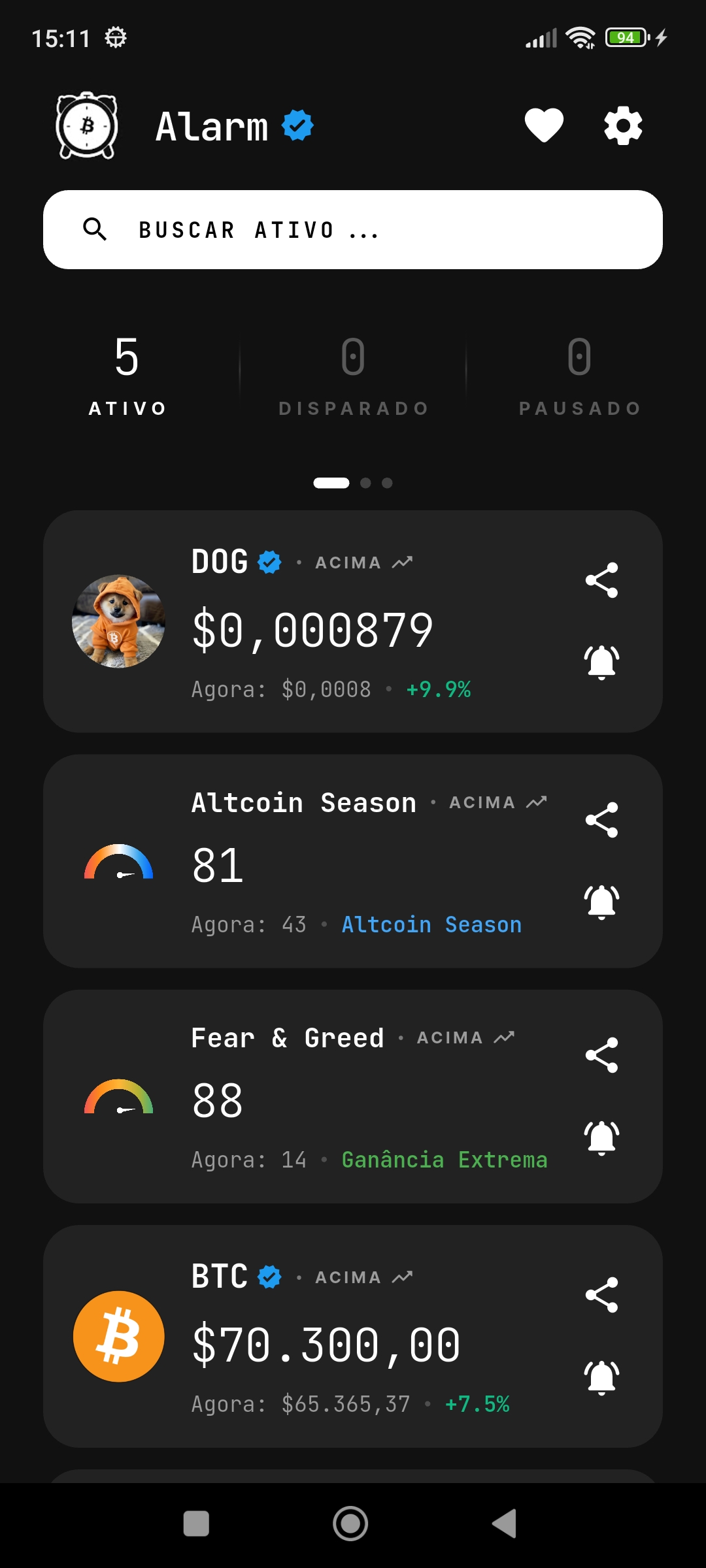
After tapping "IMPORT ALL", the alarms are added to your account automatically. You're taken back to the home screen, where every imported alarm already appears in the list, ready to monitor.
Which alarm types can be imported?
The import code supports every alarm type available in Alarm Crypto:
- Cryptocurrencies — BTC, ETH, SOL, DOGE and 2,400+ tokens across 6 exchanges (Binance, Coinbase, Kraken, Bybit, Bitget, MEXC)
- Fear & Greed Index — the crypto market's fear and greed index (0 to 100)
- Altcoin Season Index — the index showing whether we're in altcoin season (0 to 100)
The two indexes tend to be the most interesting ones to share, because the levels that matter on them are the same for everyone — extremes of fear, extremes of greed. If you don't use these indicators yet, see what the Fear and Greed Index is and how the Altcoin Season Index works.
How to share your alarms
To send your alarms to someone else, the process is simple:
- Press and hold an alarm card on the home screen to enter selection mode
- Select the alarms you want to share (or tap the circle to select all)
- Tap the "SHARE" button at the bottom of the screen
- An image containing the import code is generated automatically for you to send via WhatsApp, Telegram, or any other app
Because the output is an image, the code survives any channel — it doesn't depend on a clickable link or on the app being installed on the other side at the moment you send it.
The import code contains no personal data — only the symbol, target price, and condition of each alarm. You can share it safely.
After importing: adjust before you trust it
Importing is the start, not the end. The levels came from someone else's plan, and what makes sense for them may not for you. Two minutes reviewing three things is worth it:
- The distance to the current price. If an imported alarm sits glued to today's quote, it'll fire immediately and become noise. Move it or delete it.
- The sound on each one. Alarms that demand action deserve the loud sound; informational ones, something discreet. Without that, everything shouts equally.
- Whether you'd act at that level. An alarm that leads to no decision only consumes attention — the full criterion is in when should I set Bitcoin alerts.
Frequently asked questions
Does the code expire?
Yes. Every import code expires 30 days after it's created. After that you'll need to ask whoever shared it for a new one.
Can I import the same code more than once?
You can. Use the same code as many times as you like while it's valid, and the alarms are created fresh in your account each time. If you import twice by accident, just delete the duplicates on the home screen.
Do I need to be a Pro subscriber?
Yes. Both sharing and importing alarms require an active Alarm Crypto Pro subscription.
What if the code is wrong or expired?
The app shows a message saying the code wasn't found or the link expired. Check that you typed it correctly — the field already uppercases input, but swapping 0 (zero) for O (letter) is the most common slip. If the code is right and it still fails, it's probably past the 30 days: ask the sender for a new one.
Do imported alarms arrive active?
Yes, they land in your list ready to monitor. That's why it's worth checking the preview before tapping "IMPORT ALL" — that's where you decide whether the set makes sense for you.
Can the code's creator see my alarms?
No. Sharing is one-way: the code carries only symbol, target price, and condition, and creates no link between accounts. Once imported, what you do with those alarms is entirely yours.
Conclusion
The import code exists to remove friction from the boring part: turning a list of levels into real alarms, without typing. Import, review the distance and sound on each one, delete whatever doesn't match your plan — and in two minutes you have monitoring that would have taken far longer to build by hand.
If you're just getting started with the app, the full path is in how to use Alarm Crypto: complete guide.